![Vision Logo-1.png]](https://www.inps.co.uk/hs-fs/hubfs/Vision%20Logo-1.png?height=40&name=Vision%20Logo-1.png)
By switching on the tooltip option, you can immediately see actions assigned to a test result without having to view the message in Mail for patient  or opening Mail Manager.
To switch on lab results tooltip:
Note - This is a user specific setting.
- From Consultation Manager, select Consultation - Options - Setup - General and tick Show actions in tooltips and select OK:
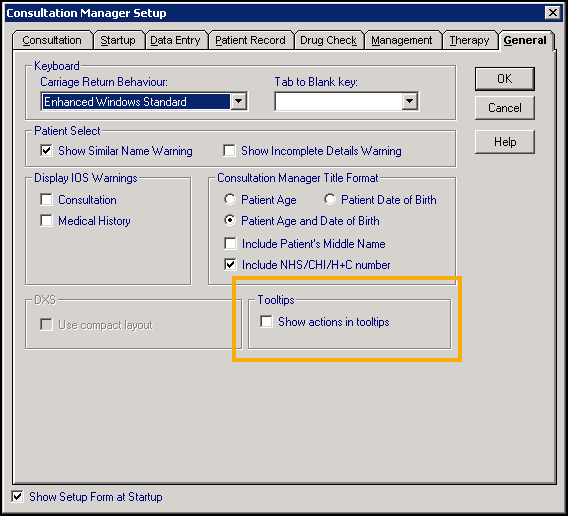
You can now hover over a result to see the action.
Training Tip - To quickly view the result as it displays in Mail Manager, right click on the report line and select Source/Actions.
See Consultation Manager Setup - General for full set up details.