![Vision Logo-1.png]](https://www.inps.co.uk/hs-fs/hubfs/Vision%20Logo-1.png?height=40&name=Vision%20Logo-1.png)
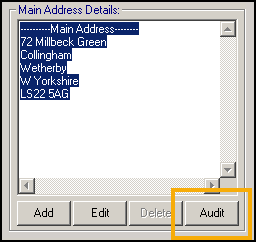
You can view a patient's previous address by selecting Audit in Registration:
Or, from patient's details in Consultation Manager, right click on the address and select Audit Trail:
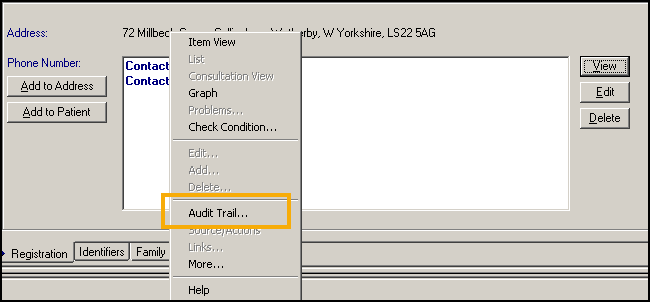
You can use the drop down box or the next/previous option to run through the different addresses.
See Viewing the Audit Trail for Registration Details for full details.
Training Tip - To view previous communication numbers, highlight the contact details and select audit or if you want to verify other registration details, for example, name or registration status, select Action - Audit Trail in Registration.