![Vision Logo-1.png]](https://www.inps.co.uk/hs-fs/hubfs/Vision%20Logo-1.png?height=40&name=Vision%20Logo-1.png)
- From the Vision 3 front screen, select Management Tools - Control Panel - File Maintenance.
- Select Online
 and the Vision Online Services screen displays.
 - From Services - Appointments, select Configure.
- From the Vision Online Services Appointments Configuration screen, you can set which clinicians, sessions, and staff are available for online booking:
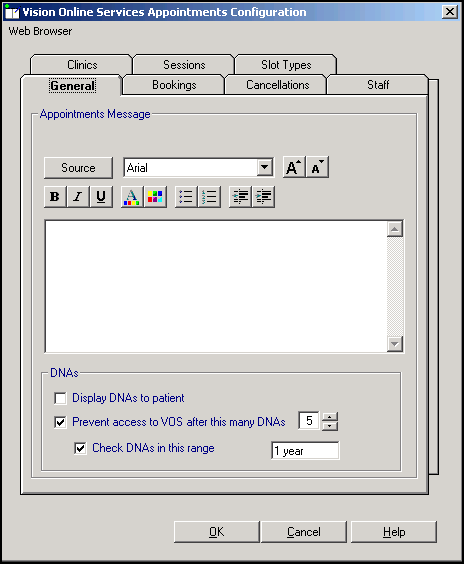
See Configure Online Appointments in the Patient Online Services Help Centre for full details.